How to Reduce Screen Time Habits for a Healthier Life
Feeling overwhelmed by screen time? Learn practical, actionable steps to reduce digital habits, improve sleep, and boost overall well-being. Start today!


You know that feeling when you look up from your phone and realize an hour has vanished? You are not alone. Most of us spend several hours a day staring at screens, and it takes a toll on our sleep, eyes, and even our mood. The good news is that you don’t need to go cold turkey to feel better. Small, intentional changes can make a big difference.
This article walks you through practical, realistic ways to cut back on screen time without giving up the digital tools you rely on. From setting boundaries to swapping habits, you will find strategies that fit real life, whether you are managing your own usage or your family’s.

Key Takeaways
- Set a specific daily or weekly screen time goal and track it.
- Create screen-free zones, like bedrooms and the dining table.
- Turn off non-essential notifications to reduce interruptions.
- Follow the 20-20-20 rule to ease digital eye strain.
- Model healthy screen habits for children; they learn by watching you.
Why Reducing Screen Time Matters So Much
Excessive screen time directly impacts your sleep quality because blue light from devices suppresses melatonin, the hormone that signals your body to rest. It also contributes to digital eye strain, leading to headaches and dry eyes. In children, high screen usage is linked to a higher risk of obesity due to more sedentary behavior. The good news is that mindful screen use and setting clear boundaries can significantly improve your overall well-being.
1. Set Clear Daily Limits
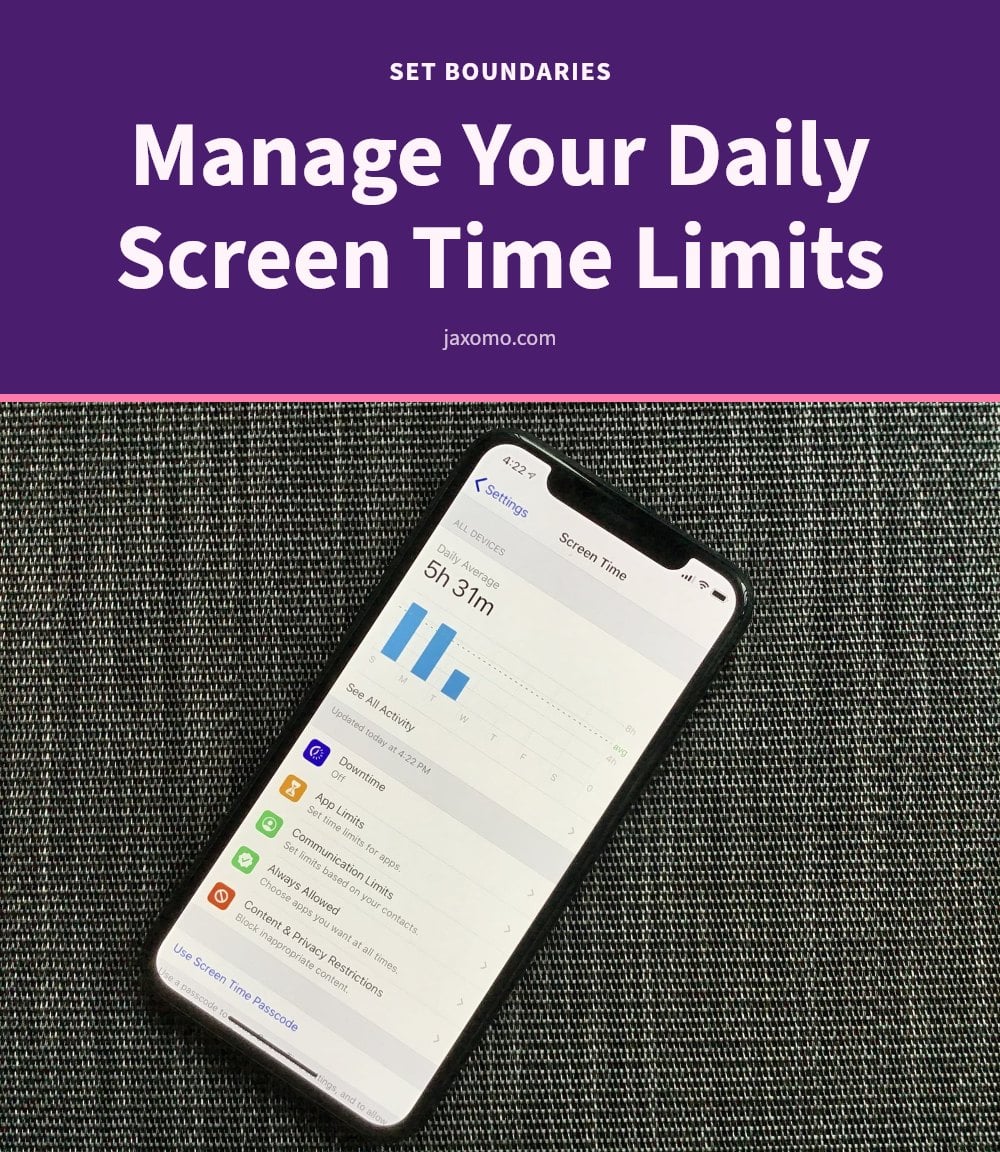
Decide on a specific daily or weekly screen time goal for yourself and your family. Use your device’s built-in screen time tracking features or a third-party app to monitor where your time actually goes.
- My tip: Start with a realistic reduction, like cutting 30 minutes per day. Gradually decrease it as you get comfortable, rather than trying to go cold turkey.
2. Create Screen-Free Zones

Designate specific areas in your home as completely screen-free, such as bedrooms or the dining table. This reduces passive screen exposure and naturally encourages real-world interaction with the people around you.
- My tip: Make the bedroom a sanctuary for sleep and relaxation by leaving all devices outside the room. You will notice a difference in how quickly you fall asleep.
3. Establish Screen-Free Times
Implement specific times when screens are off-limits, such as during meals or an hour before bedtime. This is crucial for improving sleep quality, since blue light from devices suppresses melatonin production.
- Tip: Start with dinner time. It is a simple way to reconnect with family without digital distractions, and you may find the conversation flows more naturally.
4. Turn Off Non-Essential Notifications
Disable notifications for apps that aren’t critical, like social media or games. This one change significantly reduces interruptions and the constant urge to check your device.
Good to know: Go through your phone’s settings and be ruthless. Only allow notifications for truly important calls or messages from people, not apps.
5. Replace Screen Time with Hobbies

Actively seek out alternative activities such as reading, creative pursuits, exercise, or social interaction. Replacing digital habits with real-world engagement improves overall well-being and satisfaction more than passive scrolling ever can.
Pro move: Keep a list of non-screen activities handy for when you feel the urge to pick up your phone. A short written list makes it easy to choose a replacement in the moment.
6. Take Regular Screen Breaks
Follow the 20-20-20 rule: every 20 minutes, look at something 20 feet away for 20 seconds. This simple habit helps alleviate digital eye strain, headaches, and dry eyes by giving your eye muscles a break.
Quick tip: Set a timer or use a reminder app to prompt you to take these essential breaks, especially if you work on a computer. Your eyes will thank you.
7. Communicate Family Expectations
Openly discuss screen time rules and expectations with all family members, including children. Setting clear boundaries within a household helps manage habits for both adults and children, reducing conflict and confusion.
Tip: Involve everyone in creating the rules, so they feel more ownership and are more likely to stick to them. A family meeting works well for this.
8. Model Healthy Behavior

Children learn by watching you, so your own screen habits directly shape theirs. If you constantly check your phone during family time, they will too.
Good to know: If you want your kids off their phones, make sure you are not constantly on yours either. Put your device away during conversations and activities to show them what balanced use looks like.
9. Try Grayscale Mode

Switching your smartphone to grayscale mode removes color, making the screen less visually stimulating. This simple change can reduce the urge to constantly check and engage with your device.
Pro move: It might feel strange at first, but stick with it for a day or two to see how much it reduces your screen pull. You may find yourself picking up your phone far less often.
10. Avoid Screens as Pacifiers
Avoid using screens as a primary babysitter or to soothe tantrums in young children. The American Academy of Pediatrics recommends no screen media for children younger than 18 to 24 months, except for video-chatting.
Quick tip: For children aged 2 to 5, limit screen use to 1 hour per day of high-quality programming. Choose interactive, educational content over passive viewing.
11. Practice Mindful Use
Be aware of why and how you are using screens, rather than just passively consuming content. Before opening an app, ask yourself: ‘Why am I picking up my phone right now? What do I hope to gain?’
Tip: This self-awareness is the first step to breaking automatic, unconscious screen habits. A simple pause can help you decide if you actually need that screen time right now.
When to Consult a Professional
If you still notice persistent eye strain, headaches, or trouble sleeping after cutting back on screen time, it’s time to see a doctor. These symptoms can sometimes point to an underlying issue that needs medical attention. For children, talk to your pediatrician if you’re worried about developmental delays or behavioral changes that might be linked to heavy screen use.
Don’t ignore neck or back pain either. Poor posture while using devices is a common culprit, and a physical therapist can suggest adjustments or exercises to prevent it from getting worse. Your health comes first, and a professional can give you personalized guidance.
Frequently Asked Questions
How long does it take to see benefits from reducing screen time?
Many people notice improvements in sleep quality and mood within a few days of cutting back, especially if you reduce screen use in the hour before bed. More significant habit changes, like feeling less dependent on your phone, typically take a few weeks to a couple of months of consistent effort. Be patient with yourself.
Can reducing screen time help with anxiety?
Some people find that less screen time, particularly on social media, helps them feel less anxious or overwhelmed. Constant notifications and comparison can fuel stress. However, if you experience persistent anxiety, it is a good idea to talk to a healthcare professional, as many factors are involved.
What are healthy screen time limits for children?
The American Academy of Pediatrics recommends avoiding screen media for children younger than 18 to 24 months, except for video-chatting. For children aged 2 to 5, limit screen use to one hour per day of high-quality programming. For older kids, focus on consistent boundaries and balance with other activities.
Is blue light really harmful?
Blue light from screens can suppress melatonin production, which may interfere with your sleep, especially if you use devices close to bedtime. It can also contribute to digital eye strain. Using night mode or reducing screen time in the evening can help, but it is not a cure-all.
How can I make my phone less addictive?
Turning off non-essential notifications is a big step. You can also switch your phone to grayscale mode to make it less visually appealing, and remove social media apps from your home screen. These small changes reduce the urge to check your device constantly.
What if I need screens for work?
That is a common concern. Focus on creating boundaries around non-work screen time, such as screen-free meals or an hour before bed. Take regular breaks using the 20-20-20 rule to give your eyes a rest. You can also set a timer to remind yourself to stand and stretch.
Final Thoughts
Start with one small change today. Pick a single screen-free time, like dinner, or turn off notifications for your most distracting apps. Commit to it for a week, then add another. You will likely notice better sleep and less eye strain within days, and the habit shifts become more natural over weeks and months.
Remember, the goal is not perfection. It is about being more intentional with your time and energy. Every time you choose a walk, a conversation, or a book over a screen, you are investing in your well-being. That is a win worth repeating.
This article is for general informational purposes only and is not a substitute for professional medical or psychological advice. If you or your child experience persistent eye strain, headaches, sleep problems, or concerns about screen use, please consult a qualified healthcare provider or pediatrician.